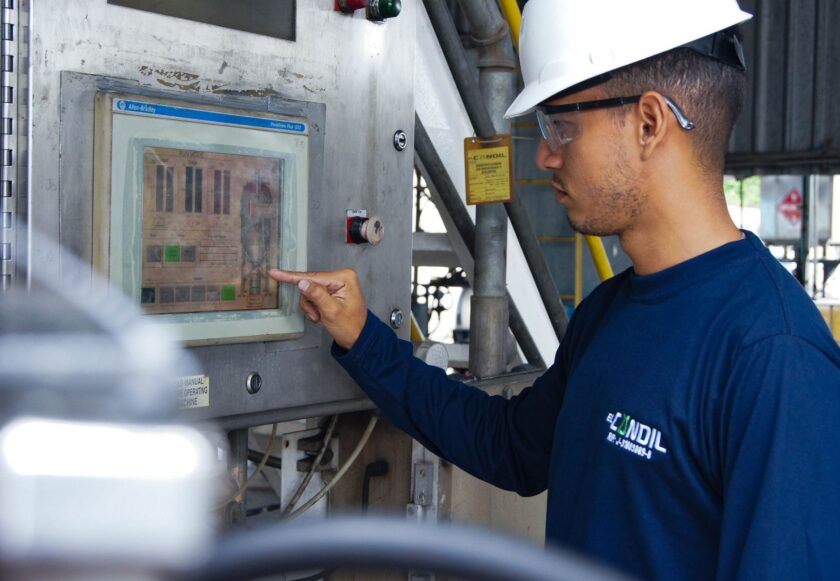
Most plants have paperless work instructions, electronic logbooks, and automated downtime capture. Then shift change happens, and all of that digital rigor collapses into a verbal huddle at the line or a spiral notebook next to the HMI. The outgoing operator mentions the sticky valve on Station 4, forgets to mention the quality hold on the last skid, and the incoming crew spends the first twenty minutes of the shift rediscovering problems the previous crew already knew about. That gap is one of the last analog chokepoints in most MES deployments, and it’s a cheap one to close relative to the OEE it quietly eats.
This isn’t a data problem — your MES almost certainly already has the downtime reasons, open work orders, and quality dispositions sitting in tables somewhere. It’s a workflow and UX problem. Nobody built a screen that says “here is what you need to know before you touch anything,” and nobody built an acknowledgment gate that stops the line from running blind. Here’s how to actually build that.
Start by defining what “context” means for your line
Before you touch configuration, get supervisors and operators from at least two shifts in a room and inventory what actually gets lost today. It’s rarely everything — it’s a predictable short list:
- Open work orders and their state — in progress, paused mid-run, waiting on materials, or waiting on a changeover that never finished.
- Active downtime reasons — not just “down,” but which asset, which reason code, how long, and whether maintenance has already been notified.
- Quality holds and non-conformances — parts on hold, containment in progress, and any temporary process deviations that were approved but not yet closed out.
- Changeover status — mid-changeover to a different SKU, tooling swapped but not verified, first-article inspection pending.
- Standing exceptions — a permitted deviation from an engineer, a temporary setpoint override, anything that would look wrong to a fresh set of eyes if it weren’t explained.
That list is your data model for the handoff screen. Resist the urge to make it comprehensive. If you try to surface every field in the MES “just in case,” you’ve rebuilt the paper logbook with a login screen, and operators will learn to click through it exactly the way they’ve learned to sign paper without reading it.
Build the handoff as a gated workflow, not a report
The core design decision is this: shift handoff should be a required workflow step, not a dashboard someone can ignore. Most MES platforms (whether you’re on a configurable ISA-95-aligned system or a more workflow-driven platform layered on top of SCADA/historian data) support some version of an electronic signature or acknowledgment gate tied to a shift or work-order state. Use it.
The outgoing crew’s job
Fifteen to twenty minutes before shift end, the outgoing operator or team lead completes a structured handoff form, not a free-text box. Pull the open items automatically wherever you can — open downtime events, open quality holds, in-progress work orders — and require a short comment only on items that need judgment (why the hold is still open, what maintenance said about the bearing). Auto-populated fields plus mandatory annotation on exceptions is the right split; a blank text box invites either nothing or a novel, and neither helps the next crew.
The incoming crew’s job
The incoming operator can’t start production transactions — can’t log a run, can’t clear a downtime reason, can’t release a hold — until they’ve opened and electronically acknowledged the handoff record for their line or workcenter. This is the part most pilot projects skip because it feels heavy-handed, and it’s the part that actually matters. A handoff screen nobody is forced to open is a handoff screen nobody opens.
If your MES supports conditional logic on job start or login, tie the acknowledgment to whatever transaction starts the shift — clocking into the workcenter, opening the first work order, whatever your natural “shift begins here” event is. Make the block hard to bypass, but make the form itself fast: if reading and acknowledging takes more than a couple of minutes on a normal day, it’s too long.
Tier the content so it doesn’t become another alarm flood
This is where most attempts at digital handoff quietly fail. Someone decides that since the MES can surface everything, it should, and within a few weeks the handoff screen looks like an alarm history export. Operators stop reading it for the same reason they stop reading a HMI alarm banner that never stops scrolling: undifferentiated volume trains people to ignore the whole thing.
Build three tiers, not one:
- Tier 1 — Must acknowledge individually. Open quality holds, active safety-related deviations, unresolved downtime on the specific asset the incoming operator is about to run. These need a per-item checkbox or tap, not a blanket “I acknowledge everything below.”
- Tier 2 — Must review as a summary. Completed work orders from the prior shift, downtime that occurred but was resolved, minor changeovers that finished cleanly. Roll these into a single scrollable summary the operator confirms once.
- Tier 3 — Archival, available on demand. Full downtime log, full production counts, shift KPIs. Don’t push this at shift start at all — link to it from the handoff screen so a curious or diligent operator can drill in, but don’t make it part of the required read.
The rule of thumb: if an item requires no action and carries no risk if missed, it doesn’t belong in the acknowledgment gate. It belongs in the historian or the reporting layer, one click away.
Gotchas that sink this in practice
A few failure modes show up often enough that they’re worth planning around from day one:
- Supervisors treat it as a compliance checkbox. If the form is designed so that clicking “acknowledge all” satisfies the system without reading, that’s exactly what will happen. Force per-item acknowledgment on Tier 1 specifically because it can’t be satisfied with one click.
- The data doesn’t match reality. If downtime reason codes are entered sloppily on the floor (a generic “other” code instead of the real reason), the handoff screen just hands that sloppiness to the next crew faster. Handoff quality is downstream of downtime-logging discipline — fix that first or the handoff screen inherits garbage.
- No accountability loop. Build a simple report that shows how often incoming operators actually open and interact with Tier 1 items versus rubber-stamping through them, and have supervisors spot-check it. This is a workflow-adoption metric, not a punitive one — its job is to tell you if the design needs simplifying.
- Multi-line or multi-cell confusion. If an operator floats across workcenters, make sure the handoff record is scoped to the specific line or asset they’re stepping into, not a plant-wide feed. A relevant three-item list beats an irrelevant thirty-item list every time.
What “done right” looks like
A well-built handoff workflow is boring in the best way. The incoming operator logs in, sees three or four things that genuinely need their attention — an open quality hold on the last pallet, a changeover that’s half-finished, a downtime reason still open on a downstream asset — taps through each one, and starts the shift already knowing what the outgoing crew knew. No verbal huddle required to transfer the information that matters, though a short verbal huddle is still good practice for anything nuanced. The paper logbook, if it still exists, becomes a backup instead of the system of record.
None of this requires new hardware or a platform upgrade. It requires an honest inventory of what actually needs to survive the crew change, a workflow that gates production transactions behind acknowledgment, and the discipline to keep the acknowledged list short enough that operators keep reading it in month six the same way they did in week one. That’s a configuration project most teams can scope and build without a vendor engagement — which is exactly why it’s one of the higher-return, lower-effort fixes sitting unaddressed in most MES deployments right now.
This article was written with the assistance of artificial intelligence. While we aim for accuracy, the information may be incomplete, out of date, or incorrect, and should be independently verified before you rely on it for any decision. It is provided for general information only and does not constitute professional advice.