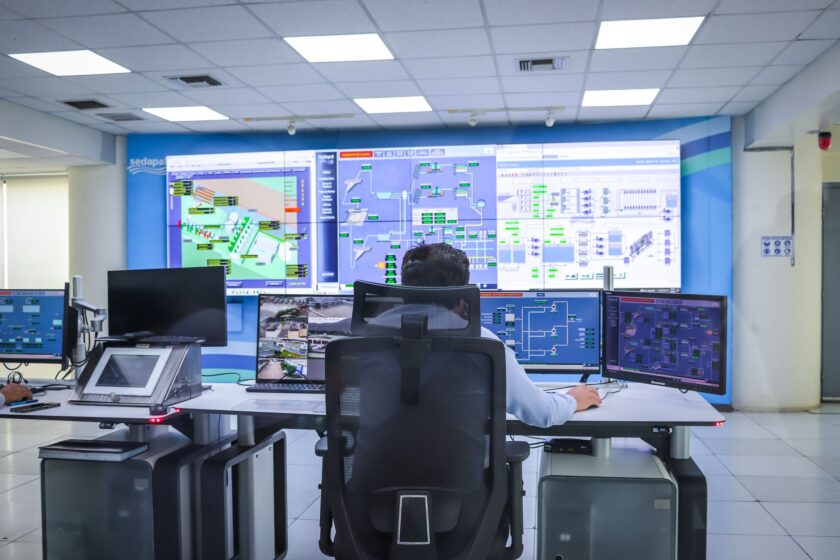
You can have a fully paperless MES, clean OEE dashboards, and a downtime coding taxonomy that would make a Six Sigma black belt weep with joy — and still lose the plot every time the shift bell rings. Shift handoff is the part of the digital plant that keeps running on tribal knowledge, because it was never really built as a system function. It was built as a hallway conversation, and then a sticky note, and then, if you’re lucky, a shared spreadsheet someone forgets to update by 2 a.m.
The frustrating part is that this is not a hard problem. It’s not a new-platform problem. Most MES suites already have the pieces you need — work order status, downtime event logs, quality holds, andon history — sitting in the database. The gap is that nobody built a screen that forces those pieces into one place at the moment the baton actually passes. That’s a configuration task, not a project. It belongs on this quarter’s punch list, not next year’s capital plan.
Why handoff is where digitized plants still leak context
Downtime coding, paperless work instructions, and OEE calculation all happen during the shift, event by event, in real time. Handoff happens at the seam between two shifts, and seams are exactly where automated systems tend to have gaps — because the system was designed around production events, not around the human transition of authority and awareness.
So the incoming operator inherits a machine mid-cycle, a work order half-complete, and a downtime event from ninety minutes ago that got coded “unplanned – other” because nobody had time to characterize it properly. None of that is visible unless someone says it out loud. If the off-going operator is rushed, tired, or just gone, that context evaporates. The incoming shift then spends the first twenty or thirty minutes of production reconstructing what already happened — which is its own hidden downtime, uncoded and invisible to your OEE report.
What actually needs to transfer, every time
A handoff protocol only works if it’s specific about what must be reviewed and acknowledged — not a vague “talk to the previous shift” instruction. Build your checklist around these categories:
- Open work orders and their true state. Not just “in progress” but quantity completed, quantity scrapped, current operation step, and any deviation from the standard work instruction that was in play.
- Unresolved downtime events. Anything logged but not closed out with a root cause, anything still in an “other” or catch-all code that needs reclassification, and anything currently active (equipment still down, waiting on maintenance or parts).
- Quality holds and non-conformances. Material on hold, pending disposition, or flagged for engineering review — with the actual hold reason, not just a flag.
- Equipment condition notes. Anything running rough, any workaround currently in use, anything maintenance has flagged as “monitor, don’t fix yet.”
- Changeover and setup state. If a changeover is mid-sequence, exactly which step it’s on and what’s already been verified.
- Safety and compliance flags. Any incident, near-miss, or interlock override from the shift, however minor it seemed at the time.
If any of these categories is empty at handoff, that’s fine — but it should be an explicit “none” entered by a person, not a blank field nobody looked at. The difference between a null field and a confirmed zero is the whole point.
The five-minute rule
If your handoff process takes longer than about five minutes per line or work center to review, operators will start skipping it during busy periods — which is exactly when you need it most. Design the checklist to be scannable, not a form to fill out from scratch. Most of it should auto-populate from data already in the MES; the operator’s job is to confirm accuracy and add narrative context where the system can’t capture nuance, not to re-key information that already exists somewhere in the historian or downtime log.
Building the checklist into what you already have
Resist the urge to buy or build a new handoff app. You almost certainly have a work-instruction viewer, an andon/downtime module, or a shift-dashboard screen already deployed at the line. Extend that.
- Add a “Shift Handoff” screen as a gated step in whatever module operators already touch at clock-in and clock-out — ideally the same interface where they log downtime or acknowledge work instructions, so it’s habit rather than a new destination.
- Auto-pull the objective data. Open work order number, quantity produced/scrapped, active or unresolved downtime events, and open quality holds should populate automatically from the MES database — no manual re-entry, no risk of transcription error.
- Force a human field for anything ambiguous. A short free-text or short-pick-list field for “what the incoming shift needs to know that isn’t in a code” — this is where tribal knowledge actually gets captured instead of lost.
- Require acknowledgment, not just viewing. The incoming operator or supervisor should have to actively confirm they reviewed each open item, with a timestamp and user ID. This creates an audit trail and, more importantly, creates a moment where someone actually has to read it rather than click through.
- Route unresolved downtime for recoding. Any event still sitting in a catch-all or “other” code should surface as an open task assigned to the supervisor, not just buried in the historian waiting for someone to notice during monthly OEE review.
- Log the handoff itself as an event. Treat the handoff record as a timestamped artifact tied to the shift and line, the same way you’d treat a downtime event — so it’s queryable later if there’s a dispute about what was communicated.
The gotchas that break this in practice
The most common failure mode is treating the handoff screen as optional or advisory. If operators can skip past it, they will, especially under production pressure — which again is exactly when the handoff matters most. Make it a gate: the next shift’s production entry or first downtime log shouldn’t be enabled until the handoff acknowledgment is complete. That’s a configuration choice in most MES platforms, not custom development.
The second failure mode is over-building it. If the checklist has thirty fields and requires narrative on every one, operators will start entering placeholder text just to get through it, and you’ve recreated the sticky note problem with better formatting. Keep the mandatory narrative fields to the ones that genuinely can’t be captured by structured data — equipment feel, workaround status, anything a maintenance tech or quality inspector would want flagged before they walk up to the line.
The third is letting supervisors handoff verbally while operators handoff digitally, so you end up with two parallel, inconsistent handoff channels. Pick one system of record — the MES screen — and make it the thing supervisors also reference in their own overlap meeting, rather than a separate conversation that duplicates or contradicts it.
What done right looks like
A working handoff protocol means an incoming operator can look at one screen, in under five minutes, and know exactly what work order is running, what’s still open from the last shift, what downtime hasn’t been fully explained yet, and what to watch for on the equipment. It means your downtime log stops accumulating vague catch-all codes because someone is now accountable for cleaning them up at every shift boundary rather than once a month. And it means when you pull OEE data for a Tuesday afternoon, the numbers reflect what actually happened on the floor — not what got remembered, half-remembered, or never said out loud at all.
This article was written with the assistance of artificial intelligence. While we aim for accuracy, the information may be incomplete, out of date, or incorrect, and should be independently verified before you rely on it for any decision. It is provided for general information only and does not constitute professional advice.