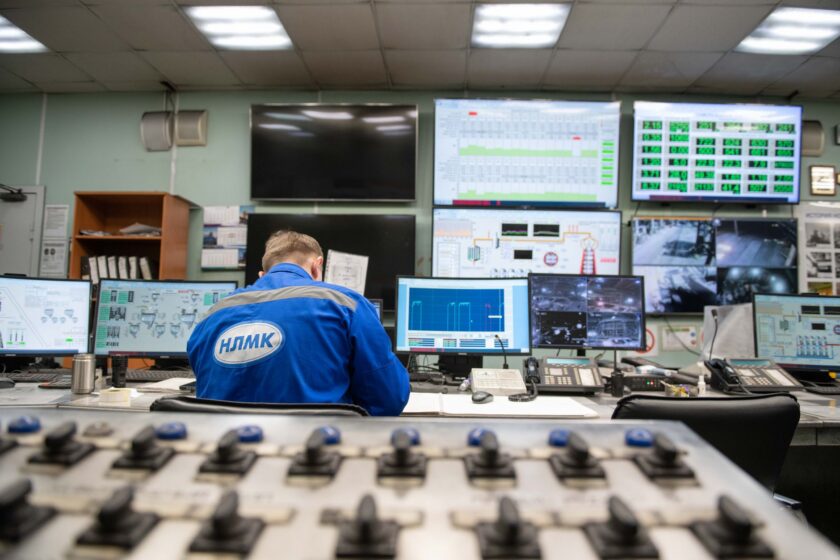
Walk the floor at 6 a.m. or 6 p.m. in almost any plant, paperless or not, and you’ll still find it: a dry-erase board by the line, a few scrawled notes about “station 4 acting up again,” and two shift leads having a rushed verbal conversation before one of them clocks out. Plants have digitized work instructions, electronic batch records, and quality holds. Shift handoff is often the one workflow that never got touched, and it’s exactly the moment where the most operationally expensive information gets lost — the downtime cause nobody logged all the way, the quality flag that got mentioned but not written up, the “don’t run that mold above 40 cycles without checking the ejector pins” knowledge that lives in one operator’s head.
This is why shift handoff is showing up in forums and user groups as the next thing to fix. Not because anyone forgot about it, but because everything else got solved first, and now it’s the last visibly analog process standing in an otherwise digital plant.
Why verbal handoff fails even when everything else is digitized
Verbal handoff has three structural problems that no amount of operator diligence fixes. First, it’s not searchable — if the incoming lead wasn’t standing there for the conversation, the information doesn’t exist. Second, it’s not consistent — what gets mentioned depends on what the outgoing lead remembers under time pressure, not on what actually matters. Third, it doesn’t connect to the rest of the MES. A whiteboard note about a downtime cause has no link to the actual downtime event logged in the historian, so nobody can later ask “did this happen again on the next shift?” and get a real answer.
The result is a familiar pattern: the same downtime cause gets rediscovered by three consecutive shifts, each one troubleshooting from scratch, because the previous shift’s diagnosis never left the room.
Step 1: Define the four things a handoff record must capture
Before touching screen design, agree on scope. A shift handoff workflow that tries to capture everything becomes a journal nobody reads. Keep it to four categories that map directly to what causes repeat losses:
- Open work orders and their state — not just “in progress,” but what’s actually left: remaining quantity, whether setup or changeover is mid-process, and any deviation from standard cycle time.
- Unresolved downtime causes — any downtime event in the shift that was closed with a placeholder code, or that recurred more than once. This is the single highest-value field and the one most often skipped.
- Quality holds and in-process flags — material on hold, SPC out-of-control signals under investigation, any first-piece or in-process check that failed and was reworked without a full root cause.
- Equipment quirks and workarounds — the tribal-knowledge fixes operators use that never made it into a maintenance work order: the sensor that needs a manual reset after every changeover, the fixture that only seats correctly if you tap it twice.
If your MES vendor offers a generic “shift notes” free-text field, resist the urge to just turn it on and call it done. Free text is where handoff information goes to die — it gets written, but it’s not queryable, not tied to an asset or work order, and nobody can run a report on it six months later to see if it’s working.
Step 2: Design the handoff screen around what actually gets read
The incoming operator or shift lead has roughly the same amount of patience they’d give a whiteboard: a few minutes, standing up, probably still holding a coffee. Design for that reality, not for an ideal world where people read every field carefully.
- Lead with exceptions, not status. A handoff screen that opens with “everything nominal” green checkmarks trains people to stop reading. Put unresolved items — open downtime causes, active quality holds — at the top, unread and unacknowledged, in a state that visually differs from routine status.
- Tie every entry to an object, not a person. A downtime note should link to the actual downtime event and the asset in your equipment hierarchy (down to the ISA-95 work-unit level if your model supports it), not just sit as a comment. That’s what makes it possible to later ask “how many shifts in a row has this asset had an open note?”
- Force a required field, not an optional one. If “unresolved downtime cause” is optional, it will get skipped on busy shifts — which are exactly the shifts where it matters most. Make it a required step to close out the shift in the MES, the same way you’d require a reason code to close a downtime event.
- Require acknowledgment, not just viewing. The incoming shift lead should have to actively acknowledge each open item — a tap or signature per item — not just have the screen open in the background. This single design choice does more to fix the “I never saw that” problem than any amount of formatting.
A note on where this lives
Don’t build shift handoff as a bolt-on form disconnected from your downtime and quality modules. If your MES already tracks downtime reason codes and quality holds as structured records, the handoff workflow should pull open items from those modules automatically rather than asking operators to re-enter them. Re-entry is where accuracy erodes — people summarize, abbreviate, or skip things they’ve already typed once that shift.
Step 3: Build the escalation path for anything that survives more than one shift
A single unresolved handoff item is normal — not everything gets fixed in eight or twelve hours. The failure mode is the item that survives three or four consecutive handoffs with no owner and no resolution. Set a rule: any downtime cause or quality hold still open after a defined number of handoffs automatically routes to a maintenance or quality engineer, not just the next operator. This is the mechanism that turns handoff from a communication tool into an actual escalation system, and it’s the piece most DIY whiteboard-replacement projects skip.
Step 4: Measure whether it’s actually working
Don’t take “operators like it better than the whiteboard” as proof of success. Track two things you can pull straight from data you likely already have:
- Repeat downtime rate — the frequency with which the same reason code recurs on the same asset within a short window (say, the next one to three shifts). If handoff is working, this should trend down because the incoming crew starts the shift already knowing what to check.
- Scrap tied to carried-over quality conditions — scrap or rework logged against a condition (a tool, a lot, a process parameter) that had an open hold noted in the prior handoff. If handoff is working, incoming crews catch these earlier in the shift instead of running a full batch before someone flags it again.
Both of these are things your MES can likely already report on if downtime and quality data are structured — the handoff workflow doesn’t need its own separate analytics, it needs to feed the analytics you already have.
What “done right” looks like
A well-built handoff workflow is boring in the best way. The incoming shift lead opens one screen, sees a short list of exceptions instead of a wall of green checkmarks, taps to acknowledge each one, and starts the shift already knowing which asset to watch. Nothing lives only in someone’s head or on a board that gets erased at the start of next shift. And when someone finally asks “why does this line keep losing forty minutes every Tuesday night,” the answer is sitting in the data instead of in whichever operator happens to still work there.
That’s the actual test for whether your paperless rollout is finished. Work instructions on a screen instead of paper is necessary, but it’s not the same thing as making sure the plant’s knowledge survives the handoff between the people running it.
This article was written with the assistance of artificial intelligence. While we aim for accuracy, the information may be incomplete, out of date, or incorrect, and should be independently verified before you rely on it for any decision. It is provided for general information only and does not constitute professional advice.